To buy Bitcoin at a Bitcoin ATM, you need a cryptocurrency wallet. The purchased BTC will be sent to its address. For most users, a mobile wallet installed on a smartphone is the most convenient option because it lets you quickly display the QR code required for the transaction.
This guide explains what a Bitcoin wallet is, the different types available, and which option is best suited for use with a Bitcoin ATM.
What is a Bitcoin wallet?
A Bitcoin wallet is an app, software program, or physical device that allows you to receive, send, and manage BTC.
A wallet does not store the bitcoins themselves. The funds are recorded on the blockchain; the wallet stores the keys that give you access to them.
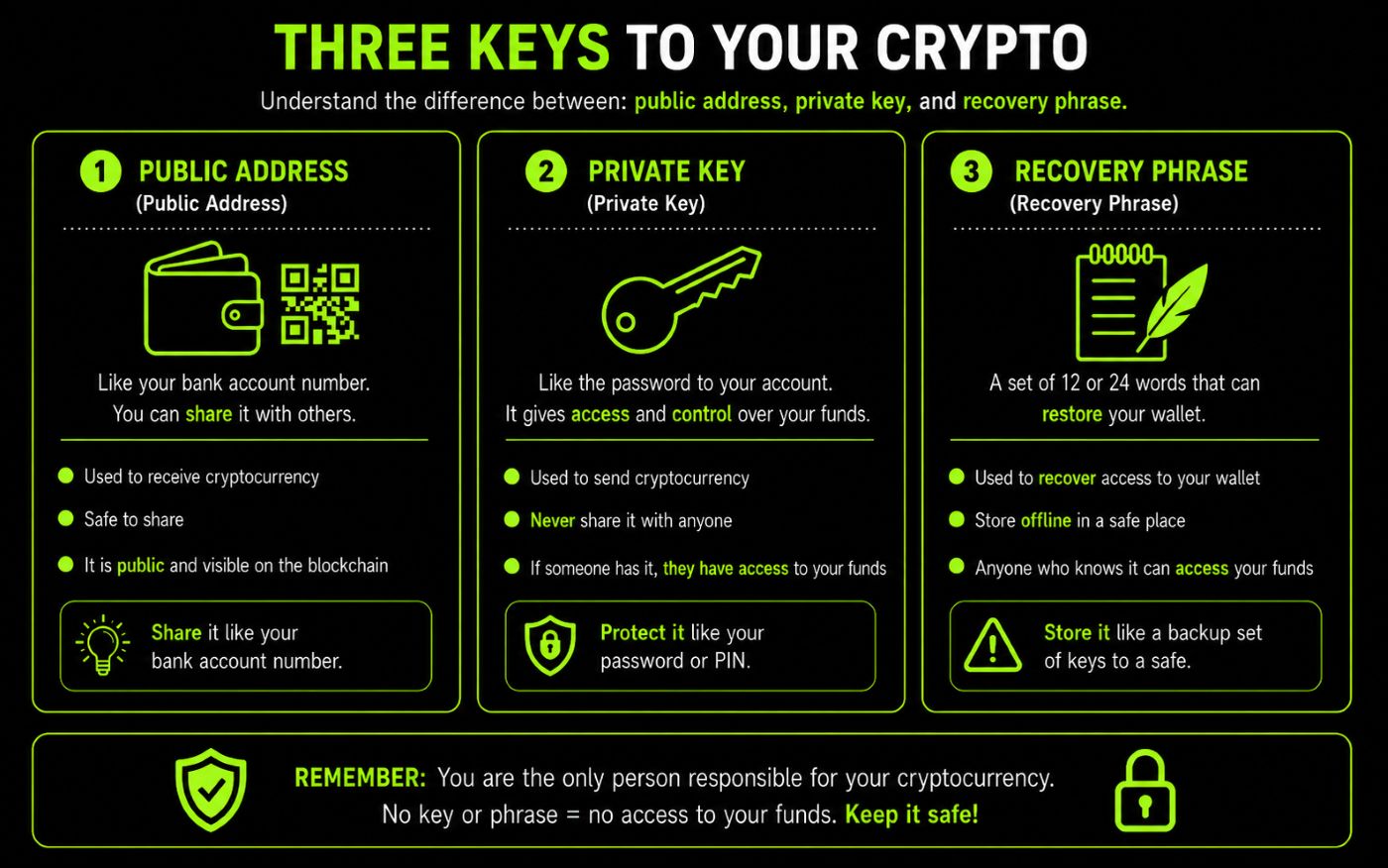
The key components of a wallet are:
- public address – you can share it to receive BTC,
- private key – allows you to manage your funds and should never be shared with anyone,
- recovery phrase – usually 12 or 24 words that allow you to recover your wallet if your phone is lost.
When buying Bitcoin at a Bitcoin ATM, you need a public address, usually displayed as a QR code.
Which wallet should you use with a Bitcoin ATM?
For most users, the best option is a non-custodial mobile wallet that supports the Bitcoin mainnet.
A good wallet for use with a Bitcoin ATM should:
- support Bitcoin (BTC),
- display the wallet address as a QR code,
- allow you to create a backup,
- be secured with a PIN or biometric authentication,
- give the user full control of their funds,
- be updated regularly.
If you plan to hold only Bitcoin, you can choose a BTC-focused app. If you also use Ethereum, Litecoin, USDT, or other assets, a multi-currency wallet will be more convenient.
Larger amounts are best kept in a hardware wallet, while a mobile app can be used for purchases and everyday transactions.
Mobile wallet comparison
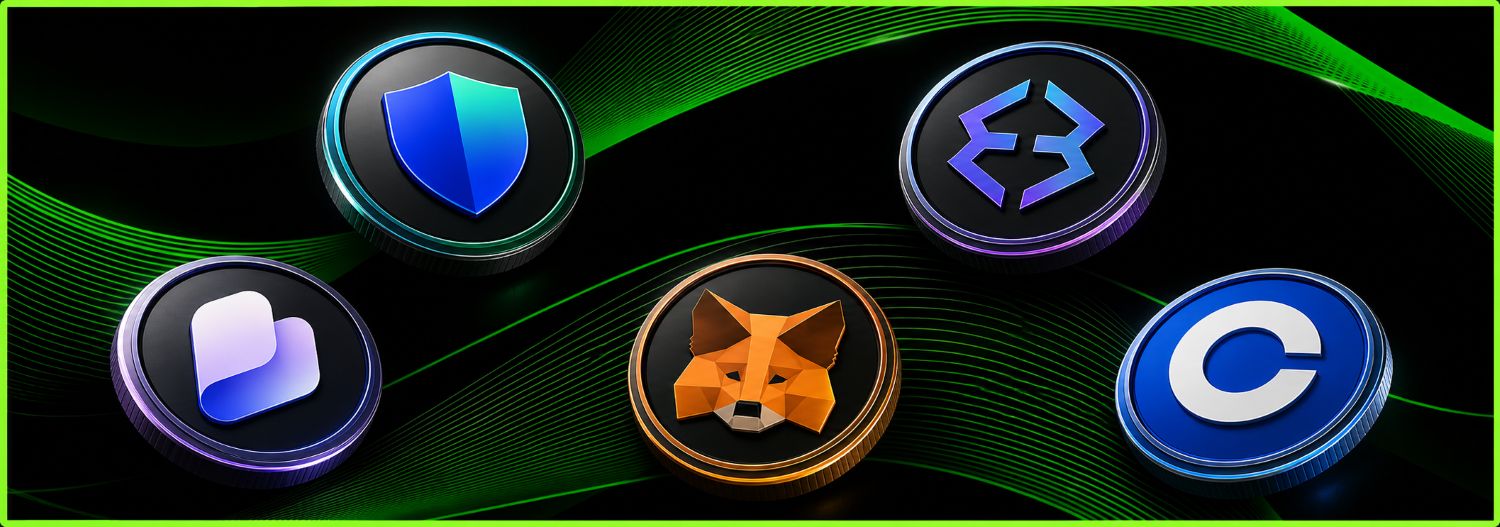
Trust Wallet
Trust Wallet is a non-custodial wallet that supports Bitcoin and many other cryptocurrencies and blockchain networks. You retain full control of your funds and can display your BTC address as a QR code. The app is available for Android and iOS. |
|---|
Best for: people who want to keep Bitcoin and other cryptocurrencies in one app.
|
Advantages: support for multiple cryptocurrencies, a simple interface, receive BTC using a QR code, full control over your wallet, Android and iOS apps, |
Exodus
Exodus is a multi-currency wallet available on mobile devices and computers. It allows you to send, receive, and store BTC and many other assets. Its clear, user-friendly interface makes it a good choice for beginners. |
|---|
Best for: beginners who use several cryptocurrencies.
|
Advantages: support for Bitcoin and other assets, a clear, user-friendly interface, mobile and desktop apps, display a BTC address as a QR code, connect to selected hardware wallets, |
Best Wallet
Best Wallet is a non-custodial mobile wallet that supports Bitcoin and many other cryptocurrencies. It lets you create multiple wallets, receive BTC, and manage different assets in one app. It is available for Android and iOS. |
|---|
Best for: people looking for an easy-to-use multi-currency wallet with built-in buy and swap features.
|
Advantages: support for multiple networks and cryptocurrencies, receive Bitcoin, manage multiple wallets, biometric security, built-in asset purchase and swap features, |
MetaMask
MetaMask was previously associated mainly with Ethereum and EVM-compatible networks, but it now also supports native Bitcoin. New accounts receive a Native SegWit BTC address, allowing the wallet to receive Bitcoin directly on the Bitcoin mainnet. |
|---|
Best for: more advanced users of Bitcoin, Ethereum, Solana, and Web3 applications.
|
Advantages: native BTC support, one wallet for multiple ecosystems, send and receive Bitcoin, extensive Web3 features, a mobile app and browser extension, |
Coinbase
Coinbase primarily operates as an exchange and custodial wallet. This means the platform holds the private keys to your funds, while you access your cryptocurrencies through your account. Coinbase allows you to receive BTC but may require identity verification and additional transfer information. |
|---|
Best for: people who already use Coinbase and want to manage their cryptocurrencies through a single account.
|
Advantages: easy access to buying and selling cryptocurrencies, receive BTC, account recovery through Coinbase procedures, a convenient mobile app, a mobile app integrated with the exchange, |
Which wallet should you choose?
Your choice should depend on how you use cryptocurrencies:
- Trust Wallet – for people who hold Bitcoin and many other cryptocurrencies,
- Exodus – for beginners who value a simple, user-friendly interface,
- Best Wallet – for users looking for a multi-currency wallet with additional features,
- MetaMask – for more advanced users who also use Web3,
- Coinbase – for people who already have an exchange account and are comfortable using a custodial wallet.
For buying BTC at a Bitcoin ATM, a non-custodial wallet such as Trust Wallet, Exodus, Best Wallet, or MetaMask is usually the most convenient choice. Before scanning the QR code, always make sure the app is displaying a BTC address on the Bitcoin mainnet.
How do you set up a mobile Bitcoin wallet?
1. Download the wallet app
Choose a wallet and download it only from the official website, Google Play, or the Apple App Store.
2. Create a new wallet
After opening the app, select “Create Wallet”.
3. Secure the app
Set a PIN, password, or biometric lock.
4. Write down your recovery phrase
The app may display a 12- or 24-word recovery phrase. Write it down on paper and keep it in a safe place.
5. Display your Bitcoin address
Select Bitcoin (BTC), then tap “Receive”. The app will display a QR code that you can scan at the Bitcoin ATM.
6. Check the transaction
After completing the purchase, check the transaction history in your wallet. Full confirmation may take some time, depending on current Bitcoin network congestion.
How do you use a wallet safely?
Never share your recovery phrase or private key. Download apps only from official sources, and protect your phone with a PIN or biometric authentication.
Always check the wallet address before confirming a purchase. Do not keep large amounts in a mobile app for long periods; a hardware wallet is a safer option for long-term storage.
Summary
The most convenient wallet for using a Bitcoin ATM in Switzerland is a non-custodial mobile wallet that supports the Bitcoin mainnet and can display the BTC address as a QR code.
Trust Wallet, Exodus, and Best Wallet are good choices for people who want to keep Bitcoin and other cryptocurrencies in one app. MetaMask is mainly suited to more advanced Web3 users, while Coinbase may be convenient for people who already have an account on the platform.
Whichever app you choose, carefully verify the network and address before confirming the transaction. With a non-custodial wallet, it is especially important to store your recovery phrase or other recovery details securely. Anyone who obtains this information can take control of all the funds in the wallet.
Frequently Asked Questions
The most convenient option is a non-custodial mobile wallet that supports the Bitcoin mainnet. It should allow you to display your BTC address quickly as a QR code.
Yes, Trust Wallet lets you receive Bitcoin to your own BTC address. Before scanning the QR code, make sure you have selected Bitcoin on the Bitcoin mainnet.
Yes, Exodus supports Bitcoin and can display your receiving address as a QR code. It is a good option for beginners and people who use several cryptocurrencies.
Technically, this is possible if Coinbase provides a BTC deposit address. However, the deposit may be subject to additional platform procedures, so a non-custodial wallet is usually more convenient.
A recovery phrase is a set of words that allows you to regain access to your wallet if your phone is lost or damaged. Store it offline and never share it with anyone.
A QR code is not essential, but it greatly reduces the risk of entering the wallet address incorrectly. The Bitcoin ATM scans the code directly from your phone screen and reads the BTC address encoded in it.
A mobile wallet is convenient for everyday transactions and smaller amounts. Larger holdings are better stored in a hardware wallet such as Ledger or Trezor.