How to buy Bitcoin with cash

Guide

Want to buy Bitcoin with cash but don’t know where to start? This simple step-by-step guide will show you how to set up a cryptocurrency wallet, find the nearest Bitcoin ATM, and safely complete the transaction.

Buying cryptocurrency at a Bitcoin ATM is a fast and convenient way to exchange cash for Bitcoin without having to use online exchanges. The entire process is intuitive, so even first-time buyers can complete the transaction with ease.

In this guide, we explain how a Bitcoin ATM works, what information you should have ready before your visit, and what to look out for when making a purchase. This will allow you to quickly and securely receive Bitcoin directly into your cryptocurrency wallet.

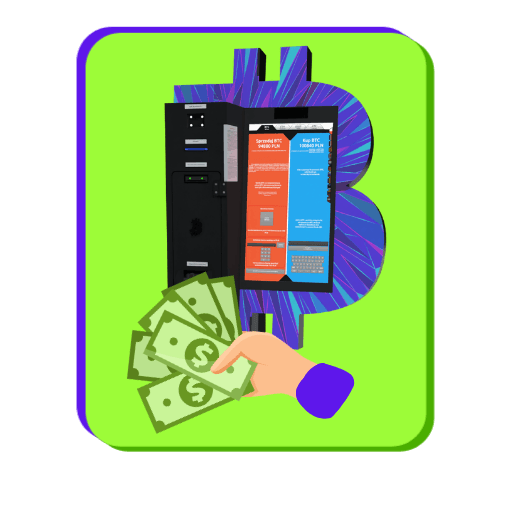
Bitcoin ATM with cash

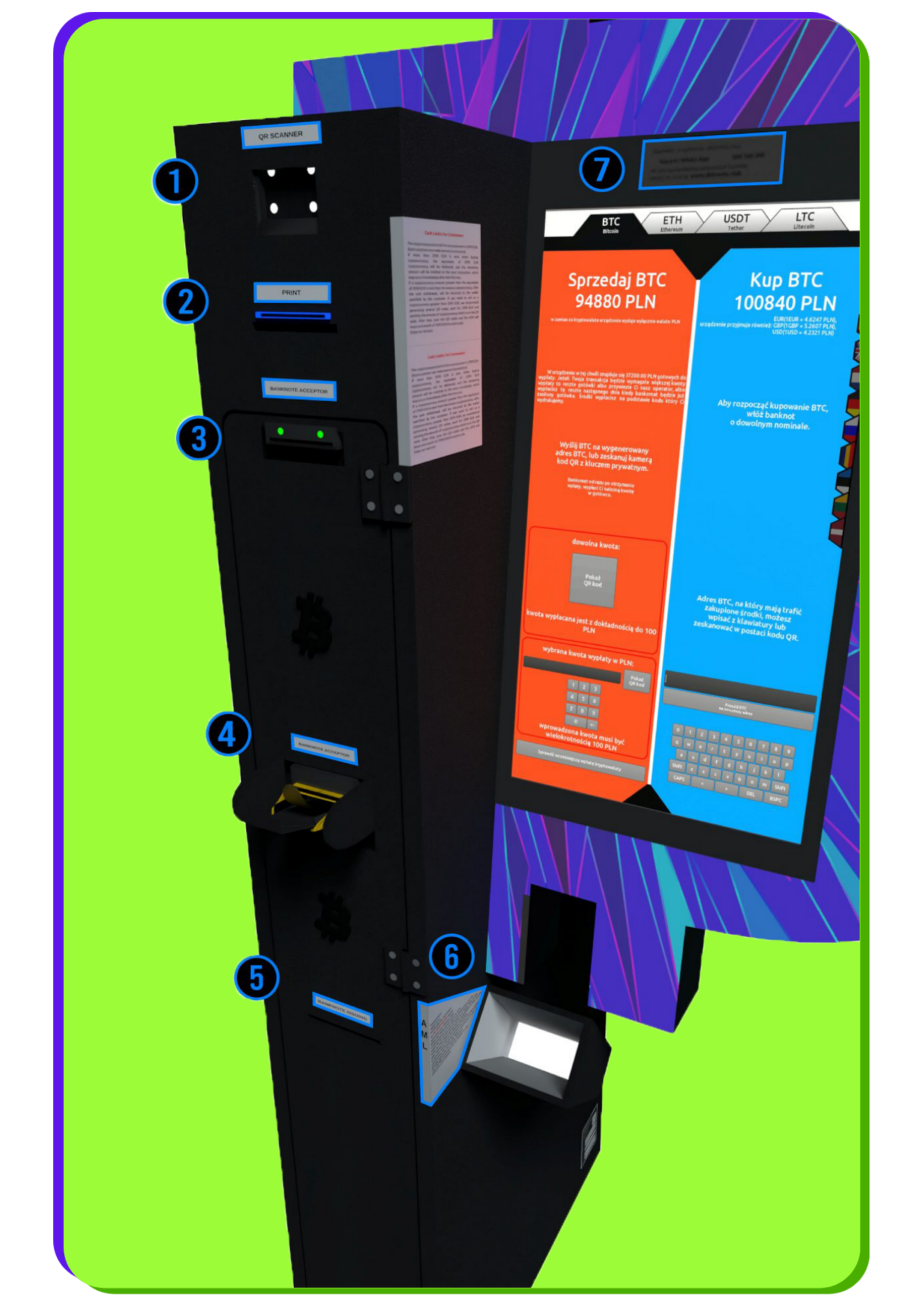
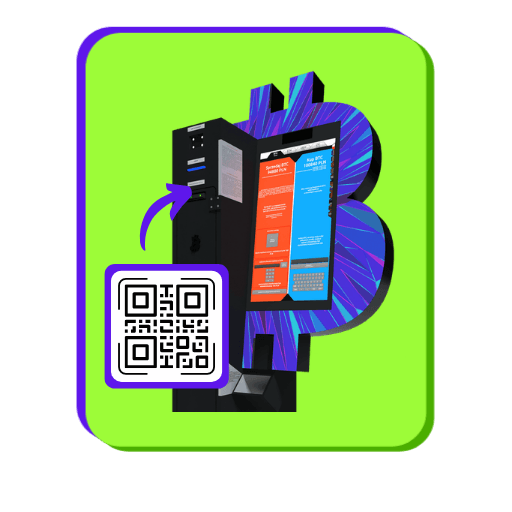
Components of the BTC machine

After selling your Bitcoin for cash, you will receive a receipt with a barcode. Scan it here so the machine can dispense your funds.

The machine prints two codes: a QR code at the top and a barcode at the bottom. The bottom barcode is used to withdraw cash. Once it is scanned into the reader at the top of the machine (1), Bitcoin ATM the withdrawal.   The QR code at the top of the printout allows you to send cryptocurrency to the operator’s address, enabling you to make a withdrawal in local currency at the Bitcoin ATM. This code may also appear during online sales or directly on the Bitcoin ATM screen. After scanning it and sending the funds, you will receive the barcode needed to collect cash.

This is where you insert the bills. Newer models of BTC machines allow you to insert more bills at once.

The machine prints two codes: a QR code at the top and a barcode at the bottom.
The bottom barcode is used to withdraw cash. Once scanned by the reader at the top of the machine (1), Bitcoin ATM the withdrawal.
The QR code at the top of the printout allows you to send cryptocurrency to the operator’s address, enabling you to make a withdrawal in local currency at the Bitcoin ATM. This code may also appear during online sales or directly on the Bitcoin ATM screen. After scanning it and sending the funds, you will receive the barcode needed to collect cash.

Once you exceed the transaction limit, you will be required to scan your ID. Information about the current limits is displayed next to the scanner on the BTC machine.

If you have any issues selling cryptocurrency for cash, please contact customer service. Support is available by phone, email, Telegram, and WhatsApp.

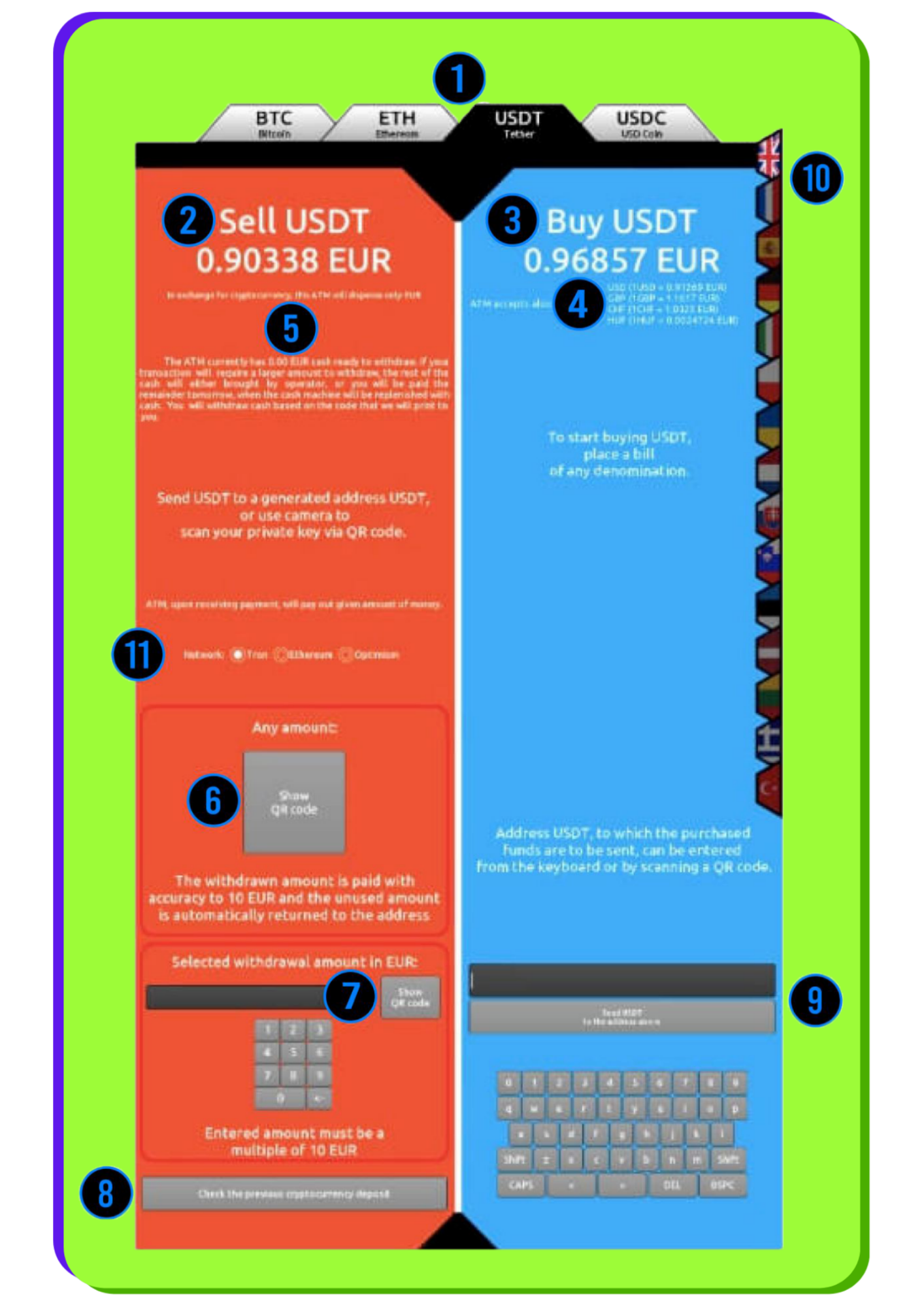
BTC ATM screen

Select one of the available options: Bitcoin (BTC), Ethereum (ETH), Tether (USDT), USD Coin (USDC), Litecoin (LTC), Tron (TRX), Binance Coin (BNB), Solana (SOL).

Supported networks include: TRC20, ERC20, Arbitrum, Optimism, and Polygon.

The price displayed is after the operator's commission has been deducted. The fee is variable and averages approximately 5% of the exchange rates; during promotions, it may be 0%.
The price shown does not include the network (mining) fee. For some cryptocurrencies and networks, this fee does not apply or is covered (Arbitrum, Optimism, Polygon, Litecoin).

Below the buy rate, you'll see the amounts in various fiat currencies that you can deposit into the device.

Here you can checkhow much cash is currently in the Bitcoin ATM and how much you can withdraw. You don’t need to go to the machine to check—this information is also available on the operator’s website.

The "Show QR Code" button generates a deposit address for the selected cryptocurrency, which allows you to withdraw cash later. The address will appear on the BTC ATM screen and will be printed. Before generating the code , make sure you have selected the correct cryptocurrency (1) and the appropriate network —especially for USDT and USDC.

You can specify the exact amount in fiat currency for which you want to sell Bitcoin. The system will generate an address that, once scanned, will allow you to complete the transaction for exactly the amount you selected.

After selecting this option, enter the barcode number. If the transaction has already been confirmed on the blockchain, the Bitcoin ATM will dispense the cash.

After inserting banknotes into the Bitcoin ATM, a summary will appear showing the deposit amount, the amount of cryptocurrency you will receive, and the network fee. At this point, you can scan your wallet address or enter it manually.
Carefully check the selected cryptocurrency and network, especially for USDT and USDC. Sending funds to the wrong network may result in their loss.

Most users scan the address using a QR code, but you can also enter it manually using the keyboard.

The device allows you to choose from a variety of language options.

Some cryptocurrencies operate on different blockchain networks —here, you select the appropriate option. Despite security measures, selecting the wrong network can result in the loss of funds. Bitcoin operates exclusively on its main network, so there is no need to select a network for BTC.

BTC: Mainnet
ETH: ETH, Arbitrum, Optimism, Polygon
USDT: TRC20, ERC20, Arbitrum, Optimism, Polygon
USDC: ERC20, Arbitrum, Optimism, Polygon

BTC ATM screen

Help

Are you having a problem with the Bitcoin ATM at
?

If you're having trouble with the Bitcoin ATM or have any questions, please contact our support team.
We're happy to help and will quickly find a solution.

Call us

Monday–Friday: 10:00 AM–6:00 PM
Saturday–Sunday: 10:00 AM–2:00 PM

Send an email

We will respond within 3 business days

Telegram

Monday–Sunday: 8:00 AM–10:00 PM

This website is for informational and educational purposes only. The content published on this website does not constitute investment, financial, tax, or legal advice as defined by applicable law. Investing in cryptocurrencies and digital assets involves a high risk of losing some or all of your capital. You make all investment decisions at your own risk. The website owner does not provide investment advisory services nor does it guarantee profits from investments in cryptocurrencies. It is recommended to consult a qualified professional before making any financial decisions.